The Choicer Voicer



Advertisement


What appears on screen as a small game show is controlled almost entirely by the player’s microphone. In The Choicer Voicer, each performance starts with a reference recording: the player hears a short line or sound and then records their own version of it. The result is compared with the original and presented through a panel of judges. There is no campaign to complete and no sequence of conventional levels. Instead, the game is organized around individual performances, different session formats, and a large amount of replaceable community content.
A Game Show Built Around Your Voice
Standard gameplay follows a repeated listen-record-score structure. A clip is selected from the active Voice Pack, the contestant hears it, and then the microphone becomes active for the imitation. After recording, the judging sequence shows how the performance was evaluated. This makes vocal delivery the main gameplay mechanic rather than movement or button combinations.
The Choicer Voicer can be played solo, while local multiplayer allows several people to take turns using the same game-show setup. Twitch-oriented features provide another way to use the format during streams, with audience participation integrated into selected modes. The game is still designed primarily around short sessions rather than a long progression system.
Community Content Changes Every Session
The game provides relatively little built-in material and is intentionally designed around custom packs. Voice Packs are the most important for regular play because they supply the samples that contestants must imitate. Even a basic pack can work with only supported WAV, MP3, or OGG files, while more detailed packs can include captions, images, icons, metadata, and organized subfolders.
Customization extends well beyond audio prompts. Players can use different types of packs to alter almost every visible part of the show:
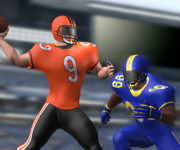
- Voice Packs add new lines and sounds to imitate.
- Contestant Packs replace the player character and reactions.
- Judge Packs change the judging panel.
- Host Packs replace the presenter.
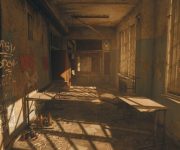
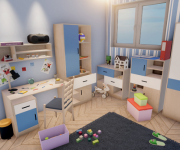
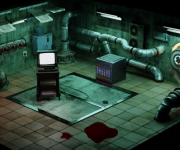
- Studio Packs provide different game-show environments.
- Menu Packs alter interface presentation.
- Chatter Packs add content for Twitch interaction.
- Compilation Packs can bundle several related additions together.
Current community archives contain all of these categories, allowing completely separate themes to be mixed in a single setup. A player can use one series for the voice clips, another for the judges, and an unrelated custom studio without affecting the core rules.
More Than Short Voice Impressions
Dub Mode provides a different use for the recording system. Dub Packs include a video scene along with individual dialogue segments and timing data. Instead of receiving only a short reference clip and a score, the player records replacement dialogue that can later be synchronized with the scene. Compatible packs require an OGV video and timestamp metadata, and they can optionally include captions, character information, and a separate backing track for music or sound effects.
The mode supports both clip-by-clip recording and Freestyle Dub Mode. Clip-by-clip play breaks dialogue into separate sections, giving the player time to record each part individually. Freestyle Mode lets the whole scene run continuously for a less structured performance. Completed dubs can also be saved and replayed using the original pack data.